
Transactional email in ReputeCast
ReputeCast sends self-hosted transactional email (password resets, sign-in links, receipts and other product mail) from the same instance as your newsletters, without sharing their reputation or their queue. Your app calls the HTTP API or the SMTP relay with a template ID and data; ReputeCast renders a published transactional template, checks suppressions and hands the message to the sending providers on the Transactional route. Everything lives under Transactional.
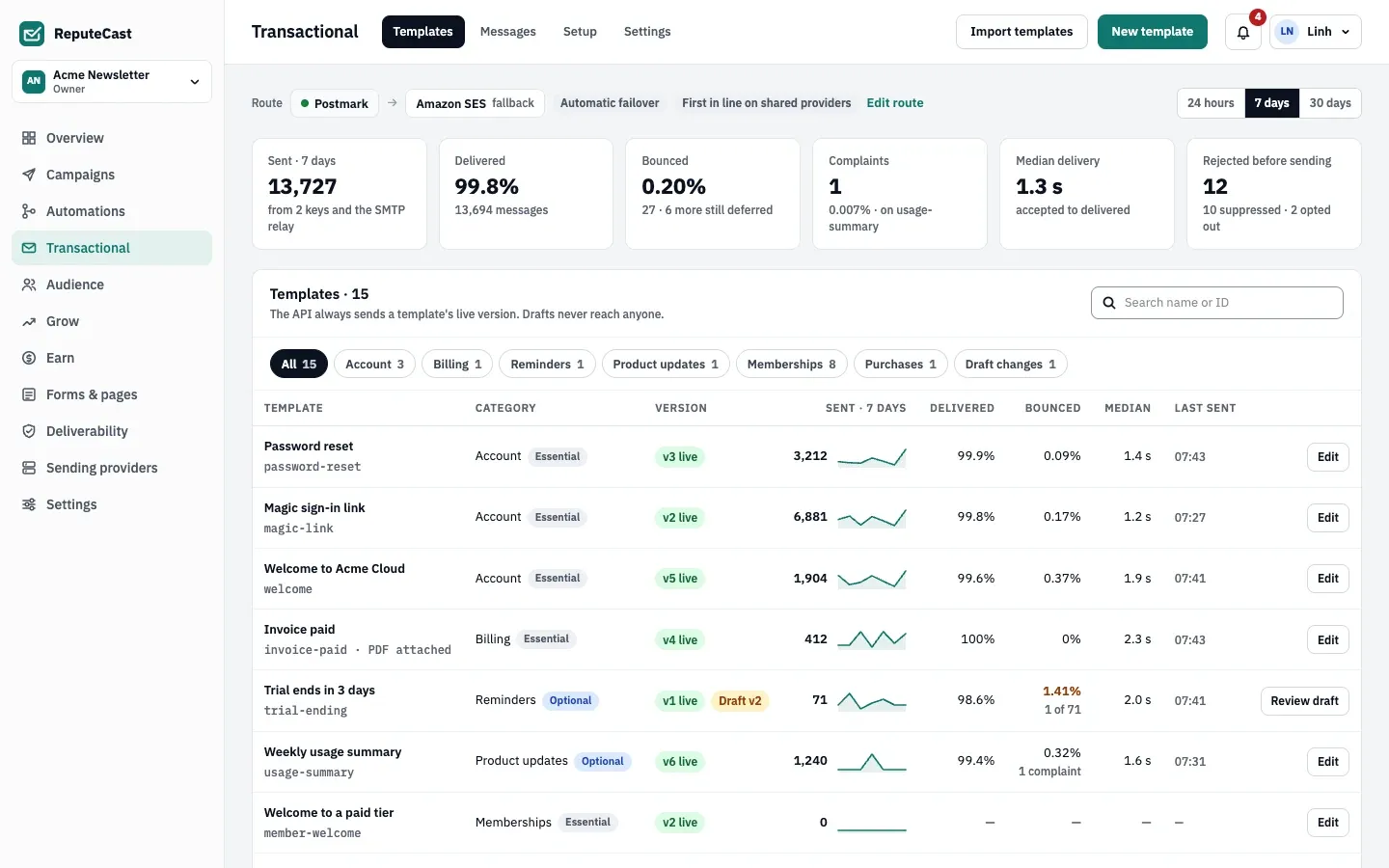
How a transactional message is sent
Section titled “How a transactional message is sent”- Your app calls ReputeCast. It sends one message, or a batch of up to 100, with a
send-only key through the API, or connects to the
SMTP relay. The API answers
202with the message ID. The request format, theIdempotency-Keyheader and code samples are in send transactional email with the API. - ReputeCast renders the live version. Only published versions send. Missing required variables fail the call
with
missing_variables, and nothing is sent. Mail that arrives by SMTP is already rendered and is logged as Raw (SMTP). - Suppressions and categories are checked. Transactional mail never goes to an address that hard bounced,
complained, hit a spam trap, is invalid, or was added to the suppression list by hand
or by import. It ignores marketing-only entries: unsubscribes and role addresses such as
billing@. A recipient who turned an Optional category off doesn’t get that category. - The Transactional route delivers it. Transactional is the fourth stream, next to Broadcasts, Automations and System, with its own route: a primary sending provider and an optional fallback. Failover is automatic. When the same sending provider also carries a campaign, transactional messages go first within its sending rate.
- Events come back. Delivery, bounce, complaint and engagement events update the message’s status in the
message log and are sent to your
webhook endpoints as
message.*events.
Categories
Section titled “Categories”Every template belongs to a category, and the category decides whether a recipient can turn it off.
| Kind | Behavior |
|---|---|
| Essential | Always sent: sign-in, password, billing and account emails. The footer has no unsubscribe link. |
| Optional | Recipients can turn it off in the preference center or with the unsubscribe link in the footer. |
You manage categories in transactional settings.
Message statuses
Section titled “Message statuses”A message is Queued, Sent, Delivered, Deferred, Bounced, Complained, Rejected, Failed or Test. Rejected means ReputeCast stopped it before sending, for example because the address is suppressed or the recipient opted out of the category. Test means a test-mode key sent it; test-mode keys deliver only to workspace members and the test addresses you allow on the key.
Alerts instead of auto-pause
Section titled “Alerts instead of auto-pause”Campaigns auto-pause when bounces or complaints rise. Transactional mail never pauses, because a password reset must keep arriving. Instead, ReputeCast checks every minute over the last hour and alerts you when a template’s bounce rate, the number of failed messages or the median delivery time passes its limit.
Defaults and limits
Section titled “Defaults and limits”| Setting | Default | How to change |
|---|---|---|
| Messages per batch call | 1–100 | Fixed |
Scheduling ahead with send_at | Up to 72 hours | Fixed |
Idempotency-Key window | 24 hours; keys up to 255 characters | Fixed |
| cc, bcc and attachments per message | Up to 20 each | Fixed |
| Message size with attachments | The smallest limit among the route's providers: Postmark, Brevo and Azure Communication Services 10 MB, Postal 14, Mailjet 15, SparkPost 20, SMTP and Mailgun 25, SendGrid 30, Amazon SES and Resend 40 | Sending providers › Routing |
| Tags and metadata per message | Up to 10 tags (100 characters each); up to 20 metadata pairs | Fixed |
| Template ID | Lowercase letters, digits and single hyphens, up to 64 characters; fixed after the first publish | Template settings |
| Rendered content kept | 30 days | Transactional › Settings; don't keep, 7, 30, 60 or 90 days |
| Message metadata and events kept | 90 days | Fixed |
| Bounce rate alert (per template, last hour, at least 20 sent) | Above 2% | Transactional › Settings › Delivery alerts, 0.1–100% |
| Failed messages alert (last hour) | 10 or more | Transactional › Settings › Delivery alerts, 1–100,000 |
| Median delivery time alert (last hour, at least 20 delivered) | Above 30 s | Transactional › Settings › Delivery alerts, 1–3,600 s |
| Retries on the primary provider before the fallback takes over | 10 minutes (at once if the provider is down) | Fixed |
| Soft bounces before an address is suppressed | 3 within 7 days | Fixed |
| Breaking-change check at publish looks at | The last 7 days of calls | Fixed |
| Template import from files | Up to 50 files, 2 MB each | Fixed |
When to change them
Section titled “When to change them”- Keep rendered content longer (up to 90 days) when support staff look up what a customer received; keep it shorter or not at all when content holds personal data. Change it in transactional settings.
- Lower the alert limits for templates where every failure matters, such as sign-in links.
- Give the Transactional route a fallback on a different sending provider so that an outage at one never stops password resets.