
Import transactional templates
To migrate Postmark templates, or the templates you keep in SendGrid, Mailgun or Notifuse, you connect ReputeCast to the account once, pick the templates, and read a conversion report before anything is created. Every template is rewritten in ReputeCast Liquid, its variables are declared from what it uses, and it arrives as a draft: nothing is published, and your app keeps sending the live versions until someone publishes a draft.
Before you begin
Section titled “Before you begin”-
You need the
transactional:editpermission (Owner, Admin and Editor have it). Only people can run an import, not API keys. -
Get the credential for your source. The key is stored encrypted for this one import and dropped when it ends.
Source What to paste Postmark A server API token, from the server’s API Tokens tab. Source: Postmark, What are the Account and Server API Tokens SendGrid An API key with Custom Access that includes Template Engine read access, from Settings › API Keys. Source: SendGrid, API Keys Mailgun An account API key, from the profile menu › API Security, plus your account’s region (US or EU). Source: Mailgun, Where can I find my API keys Notifuse Your instance’s address and a workspace API key with Templates read. Source: Notifuse, Admins & API Keys MJML or HTML files Up to 50 .mjml,.htmlor.htmfiles of up to 2 MB each, in UTF-8Sources checked October 2026.
Import the templates
Section titled “Import the templates”-
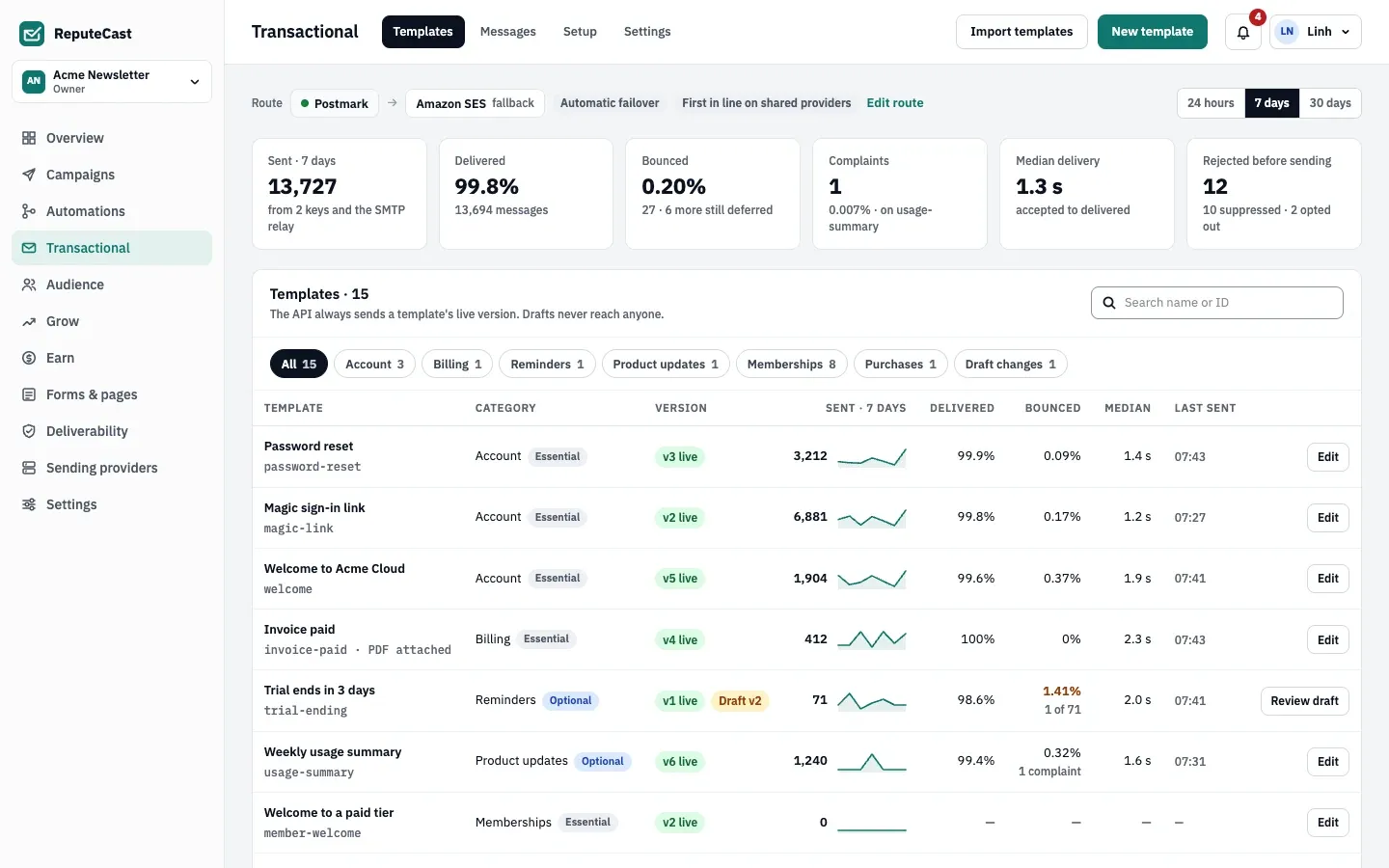
Open Transactional, then Import templates and choose where the templates are now.
-
Connect the source. For Postmark, paste the token into Server API token; for SendGrid, paste the API key. For Mailgun, paste the key into Private API key and pick the Region; fill in Sending domain (optional) to read one domain’s templates, or leave it empty to read every domain that isn’t disabled. For Notifuse, enter the Notifuse address, such as
https://notifuse.example.com, and the API key. For MJML or HTML files, drop or choose the files: they are converted at once, and the next step is the report. -
Pick the templates. ReputeCast preselects Postmark’s active templates, every SendGrid and Mailgun template, and Notifuse’s transactional templates; tick any others you want.
-
Convert them and read the report. Each template gets one of the results in the table below, with the line and the construct behind every note.
-
Import them as drafts. The report shows the ReputeCast ID each draft gets; open each one, fix what the report asks, and publish it from the template editor.
| Result | Meaning |
|---|---|
| Converted | Nothing needs your attention. |
| Converted with a note | A construct was rewritten with a visible change, such as {{#each items}} becoming {% for item in items %}. |
| Needs a manual fix | A construct was kept as it was, and the draft shows a Liquid error until you replace it. |
| Not read | The source didn’t return the template; the report says why. |
How templates are converted
Section titled “How templates are converted”- IDs come from the source’s alias or name: lowercase letters, digits and hyphens, up to 64 characters. When an ID is taken, the draft gets
-2,-3and so on, and the report says so. - Subjects: Postmark, SendGrid and Notifuse templates keep their subject. Mailgun keeps the subject only when the template version has a
Subjectheader; a file takes it from MJML’s<mj-title>or HTML’s<title>, and MJML’s<mj-preview>becomes the preheader. Without one, the subject is empty and the report asks you to write it. - Layouts: a Postmark template that uses a layout gets the layout merged in at
{{{ @content }}}. - Versions: SendGrid and Mailgun give the active version. A SendGrid template with no active version brings its first version, with a note.
- Variables are declared from what each template uses, with a type. SendGrid’s and Notifuse’s test data become sample values and the first test data set. A variable name the API can’t take, such as
first-name, is renamed (first_name) everywhere in the template, and the report tells you what your app must send instead. - Notifuse templates are Liquid already. Contact fields become plain variables (
contact.first_namebecomesfirst_name,contact.emailbecomesto.email), andnotification_center_urlbecomespreferences_url. Visual-editor templates arrive as MJML.
Common rewrites and manual fixes:
| In the source | In ReputeCast |
|---|---|
{{#each items}} (Handlebars, Mustachio) |
{% for item in items %} |
A section such as {{#person}} or {{#with author}} |
{% if person %}; names inside it now start with person. |
Postmark’s {{{ pm:unsubscribe }}}, SendGrid’s {{{unsubscribe}}} |
{{ unsubscribe_url }} |
SendGrid’s <%asm_preferences_raw_url%> |
{{ preferences_url }} |
SendGrid’s {{insert name "default=Customer"}} |
{{ name | default: "Customer" }} |
Mailgun’s %recipient.first_name%, %recipient_email% |
{{ first_name }}, {{ to.email }} |
A partial such as {{> footer}}, or Liquid {% include %} |
Manual fix: templates can’t include other files. Use a saved section. |
A helper or filter ReputeCast lacks, such as formatCurrency or money |
Manual fix: replace it, for example by sending the formatted value in the call’s data. |
view_in_browser_url |
Manual fix: transactional mail has no web version. Remove the link. |
| MJML that doesn’t compile, a block that is never closed | Manual fix, with the line number |
Check that it worked
Section titled “Check that it worked”The last step lists every draft with its ReputeCast ID and how many need a manual fix. The drafts are on Transactional, then Templates; open one to see its variables, test data and any Liquid error the report mentioned. Send yourself a test from the editor before you publish it.
Troubleshooting
Section titled “Troubleshooting”- “Postmark answered 401: this token is for a different server or was revoked.” (or 403): copy the token from the server whose templates you want.
- “SendGrid answered 403: this key can’t read templates.”: edit the key in SendGrid and give it Template Engine read access.
- “Mailgun answered 401: the API key is wrong, or the account is in the other region.” (or 403): switch the region, or create a new account API key.
- “This Mailgun account has no domains, so it has no templates to import.”: templates live on domains in Mailgun; add the domain there first, or enter the right sending domain.
- “… is larger than 2 MB.” or “Up to 50 files at a time”: split the upload; each upload is one import.
- “… is rate-limiting requests (429). Try again in a minute.”: ReputeCast retried three times, honoring the provider’s
Retry-After. Wait a minute and convert again. - “This import has no API key any more. Start again and paste the key.”: the import was finished or cancelled, which drops the key. Start a new import.
Related
Section titled “Related”- Create and publish transactional templates
- Send transactional email with the API
- Migrate from Notifuse, which brings templates along with contacts
- Move to ReputeCast without losing consent