
Route mail across providers
Routing decides which sending provider delivers each email: per stream, by list, sender domain or the recipient’s mailbox provider, with weighted splits and a fallback. This page sets up routes and email failover multiple providers can take part in, then checks the result with the route tester before you save.
Before you begin
Section titled “Before you begin”- Connect at least one provider; failover and splits need two. Read Connect a sending provider.
- You need
providers:manageto change routing. Withproviders:viewyou can open the page and use the route tester.
How a route decides
Section titled “How a route decides”Each email belongs to one of four streams: Broadcasts (campaigns), Automations, System (double opt-in confirmations, preference links, team invites) and Transactional (mail from your product). For every recipient, ReputeCast:
- Takes the stream’s rules.
- Checks the stream’s conditions in order. The first one that matches decides the provider.
- If no condition matches, uses the stream’s default route: the primary provider, or a weighted split. A split puts each address in one of 100 buckets from a hash of the address, so the same recipient always lands on the same provider.
- Checks the shared suppression list. A suppressed address gets nothing, whichever provider it was routed to.
- If the chosen provider can’t take mail, applies the stream’s failover policy.
The mailbox provider (Gmail, Outlook, Yahoo, iCloud or Other) comes from the contact’s mail server records when the contact exists, and from the address’s domain otherwise.
Set up the routes
Section titled “Set up the routes”-
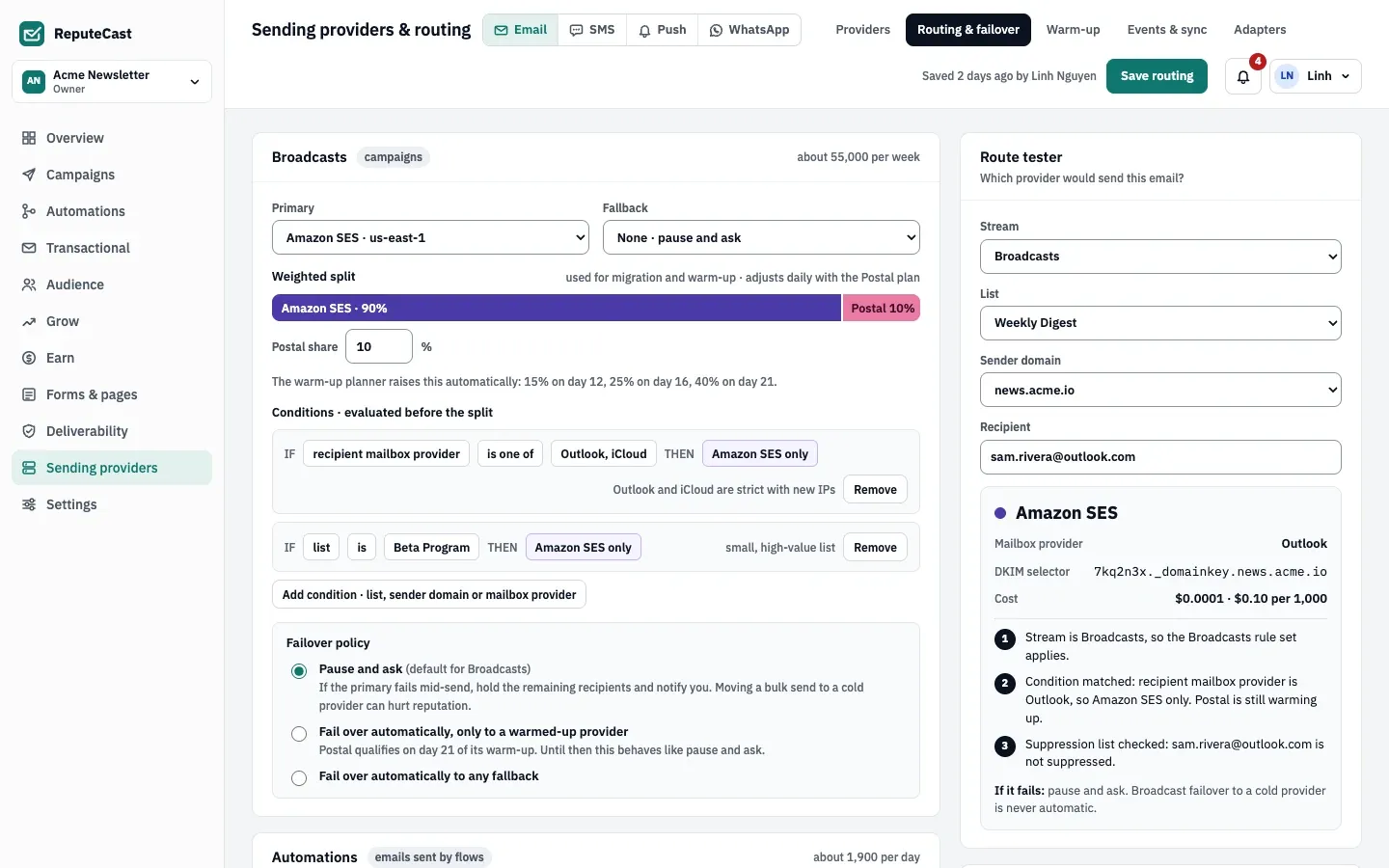
Open Sending providers, then Routing & failover. There is one card per stream.
-
For each stream, pick the Primary and, if you have a second provider, the Fallback. The fallback takes over when the primary is down; it can’t also be part of the split.
-
Adjust a Weighted split if the stream has one. Splits are created when you connect a provider and give it the Weighted split role on the Streams step (Broadcasts only). Here you change each provider’s share; the primary gets the rest. Set a share to 0 to take the provider out of the split. While a provider in the split warms up, the warm-up planner raises its share on schedule and the card says when.
-
Add conditions where one kind of mail should always use one provider: Add condition. Broadcasts and Automations can match on the list, the sender domain or the recipient’s mailbox provider; Transactional matches on the transactional category or the mailbox provider. System mail has no conditions. Each condition sends to exactly one provider, and what you type under Why is shown next to it, for example “Outlook and iCloud are strict with new IPs”.
-
Choose the Broadcasts Failover policy:
- Pause and ask (the default): if the primary fails during a send, the remaining recipients are held and you are notified. Moving a bulk send to a cold provider can hurt its reputation.
- Fail over automatically, only to a warmed-up provider: moves the send to the fallback automatically once the fallback has finished its warm-up; until then, it behaves like pause and ask.
- Fail over automatically to any fallback.
Automations, System and Transactional mail fail over to their fallback automatically, because it must keep going out. Without a fallback, it waits until the provider recovers.
-
For Transactional mail, First in line on shared providers makes transactional messages go first on a provider that also sends a campaign, within the provider’s rate.
-
Try a few addresses in the Route tester: pick the stream, a list, a sender domain (or a transactional template) and type a recipient. It answers with the provider, the mailbox provider, the DKIM selector, the cost of one message, each step of the decision and what happens if the provider fails. It tests your unsaved changes.
-
Choose Save routing. New sends use the routing right away; sends already in progress keep their route.
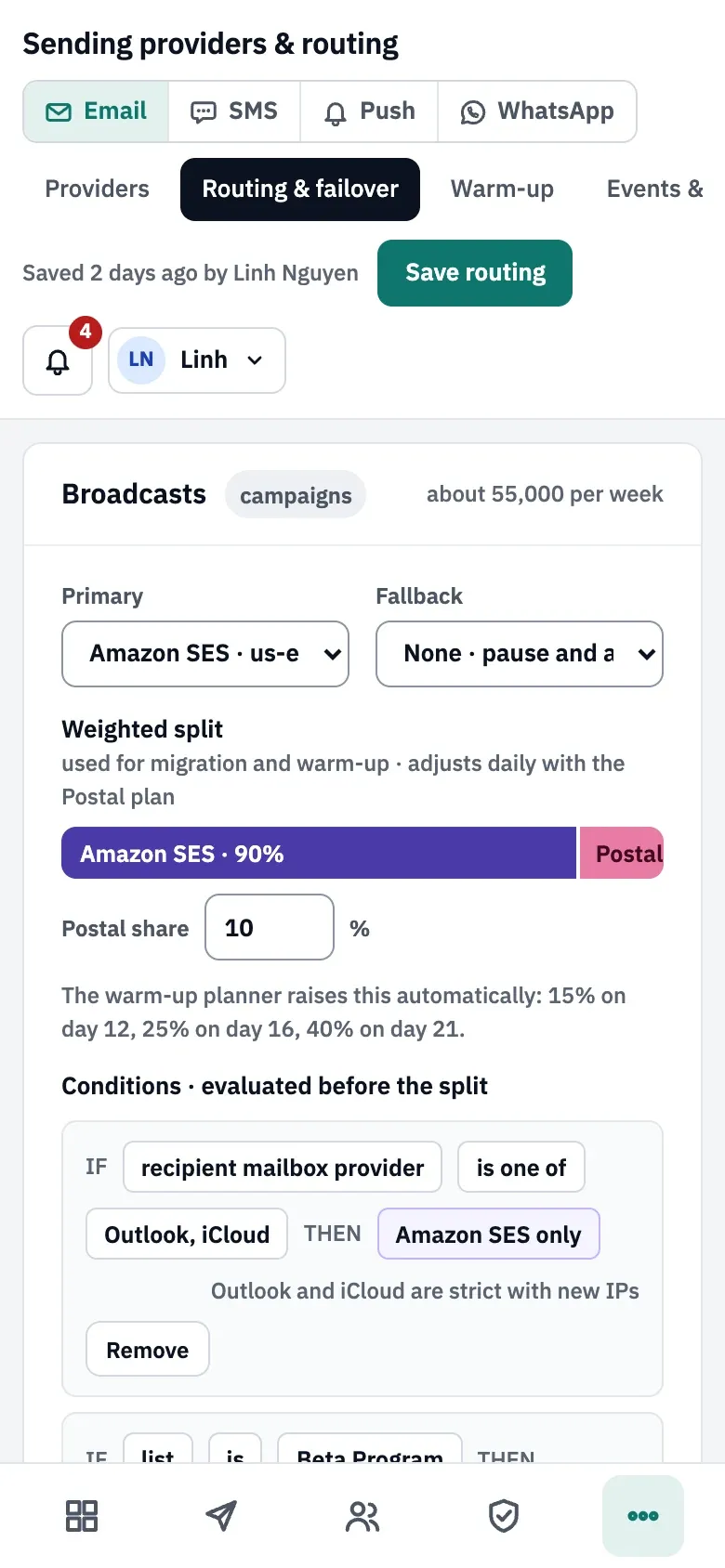
On a phone, the stream cards stack and the route tester follows them:
Check that it worked
Section titled “Check that it worked”- The page header shows when routing was saved and by whom.
- Sending providers, then Providers shows the routing per stream as a bar with each provider’s share, the fallback and the failover policy.
- The route tester gives the provider you expect for an address on each list and mailbox provider that has a condition.
- During a send, the live monitor shows each provider’s share of the campaign.
Troubleshooting
Section titled “Troubleshooting”- “The Broadcasts split adds up to 95%; it must add up to 100%”: change a share so the total is 100.
- “A provider appears twice in the split” or “The fallback is already part of the split”: pick another provider, or none, as the fallback.
- “Broadcasts has no primary provider”: every stream except Transactional needs a primary. Transactional can stay without a route while your product sends no mail.
- A warning that the fallback is warming up: moving a broadcast to a provider that is still warming up can hurt its reputation. With the warmed-up-only policy, Broadcasts don’t fail over to it until its warm-up ends; with Automatic, they do. The warning doesn’t stop the save.
- The route tester says the email would wait: the provider is down or its webhooks are silent, so its share waits for it or for the fallback. Read Provider health and outages.
- The tester says the address is suppressed: nothing is sent to it on any provider. Read The suppression list.