
Monitor domain and provider health
Deliverability, then Health is where ReputeCast does its domain reputation monitoring: one page with the state of every sending domain and dedicated IP, the account health of each sending provider, blocklists, DMARC reports and recent incidents. This guide shows how to run the checks, read each section and export the results. Everything on the page works without HostRepute; connecting it adds more sources and data.
Before you begin
Section titled “Before you begin”- You need
deliverability:view. The Owner, Admin, Editor and Viewer roles have it, and so do client roles. - Connect a sending provider and add a sending domain first. Until then the page has nothing to show.
- Optional: connect HostRepute for 84 blocklist sources checked every hour, Google Postmaster Tools, Microsoft SNDS and collected DMARC reports.
Check your sending health
Section titled “Check your sending health”-
Open Deliverability, then Health. The badge next to the tabs tells you where the data comes from:
- HostRepute connected · hourly checks, with the time of the last and the next full check.
- HostRepute not connected · provider data and built-in checks, with the time of the last daily check.
- HostRepute needs reconnecting or HostRepute unreachable · cached results: the page shows the last data HostRepute sent, marked as stale.
-
Select Run checks now to check now. With HostRepute connected, the button reads Run all checks now and asks HostRepute to check again as well. A progress line shows how many sources have answered, and a notice says when the checks finished.
-
Read the page from top to bottom, as described in What each section shows. Cards with an amber or red border need attention first.
-
To keep the results, select Export report. See Export the results.
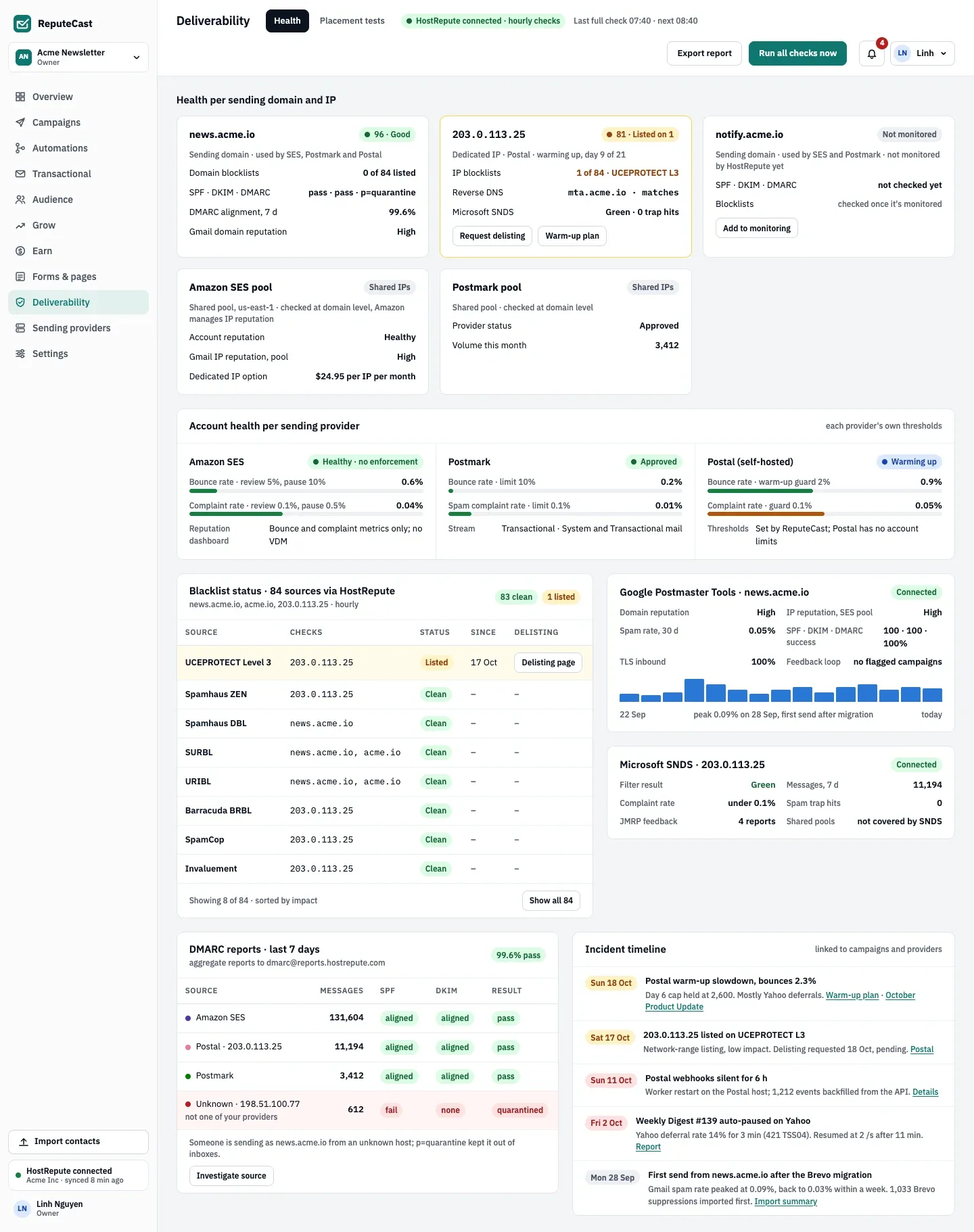
- Health per sending domain and IP, with shared IP pools as their own cards.
- The blocklist table, listed sources first, with delisting links.
- Account health per sending provider, measured against each provider’s limits.
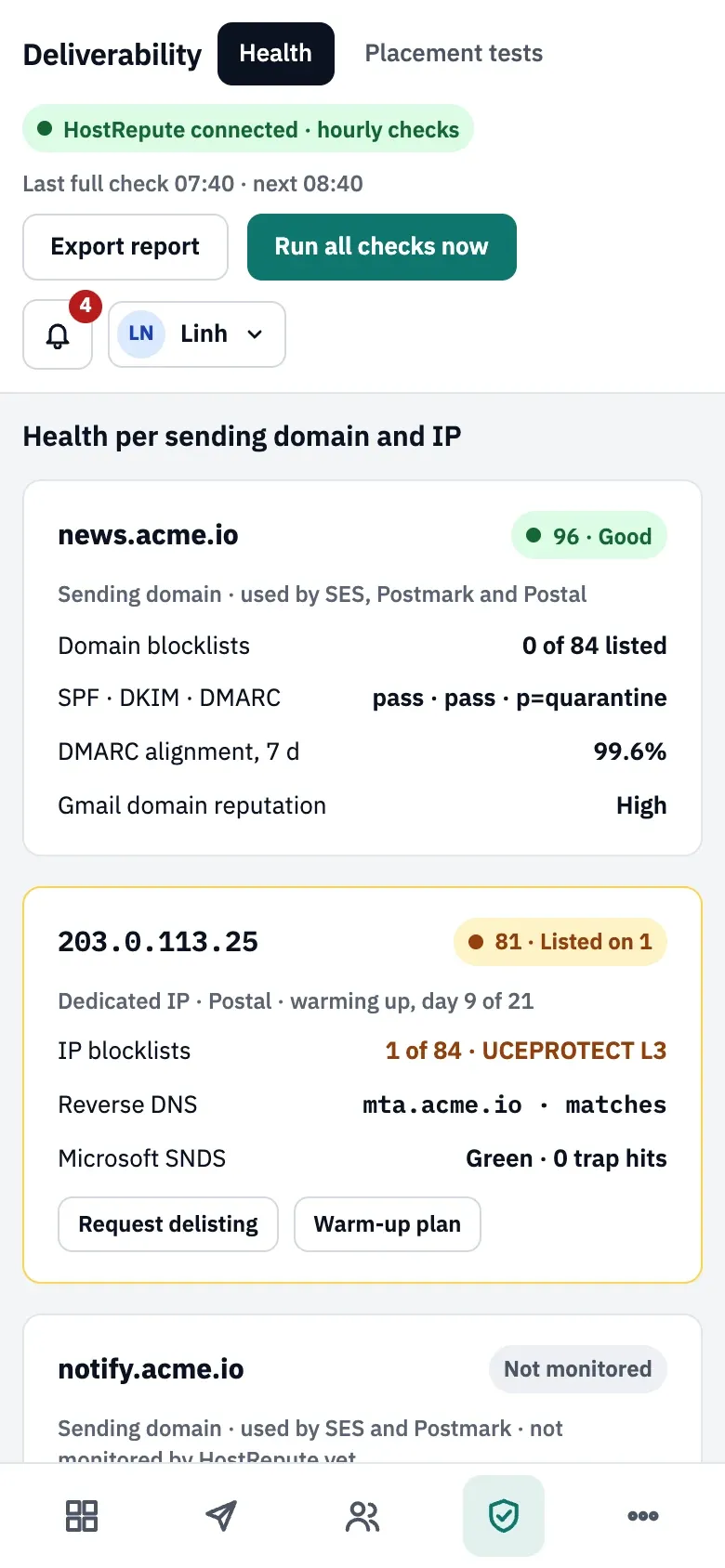
On a phone, the actions move under the title and Deliverability is one of the tabs at the bottom of the screen.
What each section shows
Section titled “What each section shows”Health per sending domain and IP
Section titled “Health per sending domain and IP”Health per sending domain and IP has one card per sending domain and per dedicated IP. A domain that is only the parent of other sending domains gets no card of its own.
- Sending domain: which sending providers use it, how many domain blocklists list it, the SPF, DKIM and DMARC
results (for example
pass · pass · p=quarantine), and the share of mail aligned with DMARC over 7 days. That share needs DMARC aggregate reports. With HostRepute connected, Gmail’s domain reputation is added. - Dedicated IP: the IP blocklists, the reverse DNS result (
matcheswhen the PTR name resolves back to the IP,doesn't resolve back, ormissing) and, with HostRepute, Microsoft SNDS. A warming IP links to its Warm-up plan. - Shared pool: a sending provider’s shared IPs, such as Amazon SES without dedicated IPs, get a card named after the pool, such as “Amazon SES pool”, with the badge Shared IPs. They are checked at domain level, because the sending provider manages those IPs.
The badge of a card shows a score and a verdict (Good, Fair, Poor, Bad) when HostRepute supplies them. Without HostRepute, a domain shows Good or Needs attention. The border turns amber for any listing, SPF or DKIM not passing, or a missing or invalid DMARC record, and red for a listing on a high-impact list or stale HostRepute data. With HostRepute connected, a domain it doesn’t watch yet shows Not monitored and the button Add to monitoring.
Account health per sending provider
Section titled “Account health per sending provider”Account health per sending provider shows each sending provider’s status (Healthy, Degraded, Down, Sandbox, Warming up, Paused) and two rates over the last 7 days:
- Bounce rate: bounced messages divided by messages sent.
- Complaint rate: complaints divided by messages delivered.
When the sending provider reports its own rate and that figure is less than 48 hours old, ReputeCast shows it instead. Each bar fills toward the provider’s limit. For Amazon SES, ReputeCast sets the levels at which AWS reviews and pauses an account: bounces 5% (review) and 10% (pause), complaints 0.1% and 0.5%. Other sending providers get a 5% bounce and 0.1% complaint limit when you connect them; you can change both in the provider’s settings under Sending providers.
Send Readiness reads the same rates: it warns from 80% of a limit and blocks a send at the Amazon SES pause level. See Provider health and outages and Bounces, complaints and provider limits.
Blocklists
Section titled “Blocklists”The blocklist table lists each source with what it checked, its status, since when an asset is listed (with HostRepute), and the list’s delisting page. Without HostRepute, ReputeCast queries 8 public lists once a day. See Check and fix blocklist listings.
Google Postmaster Tools and Microsoft SNDS
Section titled “Google Postmaster Tools and Microsoft SNDS”These two cards are filled by HostRepute; without it, they show No data yet and Connect HostRepute.
- Google Postmaster Tools for the first sending domain: domain reputation, IP reputation of the pool, spam rate over 30 days with a chart, SPF, DKIM and DMARC success, TLS for incoming mail, and campaigns flagged by Gmail’s feedback loop.
- Microsoft SNDS for a dedicated IP: the filter result (Green, Yellow, Red), messages and complaint rate over 7 days, spam trap hits and JMRP feedback reports. Shared pools aren’t covered by SNDS.
DMARC reports
Section titled “DMARC reports”The DMARC card lists the sources that sent mail as your domains over the last 7 days, with their SPF, DKIM and DMARC results. See Read DMARC aggregate reports.
Incident timeline
Section titled “Incident timeline”Incident timeline lists the latest incidents of the last 45 days, each linked to the campaign, report or sending provider it concerns:
- a new blocklist listing found by the built-in check, and HostRepute alerts (listings, delistings, reputation drops, DMARC failures, authentication changes);
- a campaign auto-paused, a Broadcast share held for a decision or moved to another sending provider;
- a sending provider going down, failing over, coming back, or sending no webhook events while mail went out.
When checks run
Section titled “When checks run”- Without HostRepute: about once a day, ReputeCast checks the DNS authentication of each sending domain (SPF, DKIM, DMARC, BIMI, return path), the reverse DNS of dedicated IPs, and the 8 built-in blocklists.
- With HostRepute: HostRepute’s results are synced every hour; ReputeCast still checks DNS authentication and reverse DNS itself about once a day. If a sync fails three times, the built-in blocklist check runs instead.
- Domain records under Settings, then Senders are checked separately, every 30 minutes (Set up SPF, DKIM and DMARC).
| Setting | Default | How to change |
|---|---|---|
| Built-in blocklist checks | 8 lists (Spamhaus ZEN, Spamhaus DBL, SURBL, URIBL, Barracuda BRBL, SpamCop, Mailspike, PSBL), daily, for sending domains and dedicated IPs | Run all checks now; skipped while a healthy HostRepute connection supplies the results |
| Run all checks now | At most once a minute | Fixed |
| DNS lookup timeout | 4 s | Config dns.timeout; resolvers in dns.servers |
| DMARC aggregate report upload | XML, .xml.gz or .zip, up to 20 MiB compressed and uncompressed | Fixed (needs domains:manage) |
| HostRepute sync | Hourly per connected workspace; failed syncs retry hourly and the built-in checks run meanwhile | Fixed |
| History read from HostRepute | Google Postmaster 30 days, Microsoft SNDS 30 days, DMARC 7 days | Fixed |
| Time to approve the connection in HostRepute | 15 minutes | Fixed |
| Incident timeline | Last 45 days, latest 8 items | Fixed |
Export the results
Section titled “Export the results”Export report downloads deliverability-<workspace>-<date>.csv with the columns
section, asset, check, status, detail, since and checked_at. It has one row per check: SPF, DKIM and DMARC
per domain, reverse DNS per IP, DMARC alignment and sources, each blocklist, bounce and complaint rates per sending
provider, Postmaster and SNDS figures, and the incidents shown on the page.
Check that it worked
Section titled “Check that it worked”- The notice says the checks finished, with the number of listings found or “clean on” the number of sources.
- The caption next to the badge shows the time of the new check.
- The CSV opens with one row per check.
Troubleshooting
Section titled “Troubleshooting”- The buttons are disabled with “Connect a sending provider first”. No sending domain, dedicated IP or sending provider exists yet. Connect a sending provider.
- The run says some lookups didn’t answer. They show as unknown, not clean. The instance’s DNS resolver is probably a public one that blocklists refuse; see Check and fix blocklist listings.
- The badge says HostRepute needs reconnecting or is unreachable. Reconnect it, or select Use built-in checks until it's back. Meanwhile Send Readiness marks blocklist checks as Unknown, never as a Block.
- Postmaster and SNDS stay empty. They need HostRepute and appear after its first sync. SNDS only covers dedicated IPs.
- Reverse DNS says the PTR name doesn’t resolve back. The A or AAAA record of the PTR name doesn’t point to the IP. Ask whoever hosts the IP to fix the PTR record, or fix the A record of that name.
- A shared IP isn’t on the page. Shared pools are checked at domain level; the sending provider monitors their IPs.