
Google, Microsoft and GitHub sign-in
Register a Google sign-in OAuth app, a Microsoft app registration or a GitHub OAuth app, paste its client ID and secret into ReputeCast, and people who already have an account can sign in with that provider instead of a password.
Before you begin
Section titled “Before you begin”- You are an instance admin.
- The public URL is final and reachable over
https://(Instance admin, then Instance & updates, then Public URL). The redirect URIs are built from it. - You can create OAuth apps in the Google Cloud console, the Microsoft Entra admin center or GitHub.
Each provider has its own redirect URI:
| Provider | Redirect URI | Scopes ReputeCast asks for |
|---|---|---|
<public URL>/auth/social/google/callback |
openid email profile |
|
| Microsoft | <public URL>/auth/social/microsoft/callback |
openid email profile |
| GitHub | <public URL>/auth/social/github/callback |
read:user user:email, plus read:org with an organization limit |
Set up a provider
Section titled “Set up a provider”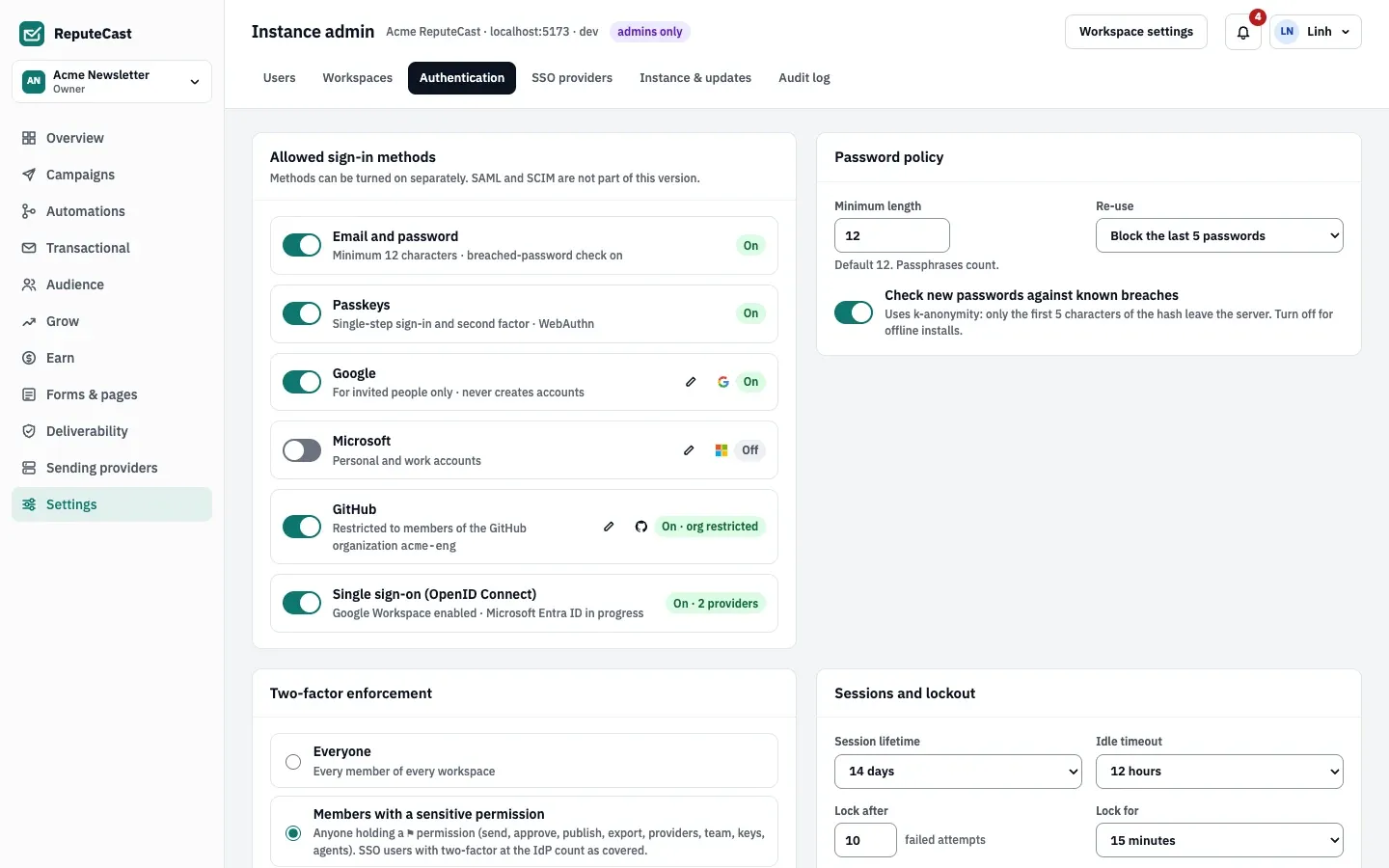
-
Open Instance admin, then Authentication. In Allowed sign-in methods, choose the pencil button next to Google, Microsoft or GitHub. The dialog shows the Redirect URI to copy.
-
Create the app at the provider:
In the Google Cloud console, open APIs & Services › Credentials and create an OAuth client ID of type Web application. Add the redirect URI under Authorized redirect URIs, and copy the client ID and secret (Google Cloud: setting up OAuth 2.0, checked October 2026).
ReputeCast uses OpenID Connect with
https://accounts.google.comand accepts only emails Google marks as verified.In the Microsoft Entra admin center, open App registrations › New registration, choose the Web platform and enter the redirect URI; then create a client secret (register an application in Microsoft Entra ID, checked October 2026). Pick Supported account types to match the Accounts setting in ReputeCast:
- Personal and work accounts (the default)
- Work and school accounts only
- Personal Microsoft accounts only
- One tenant (enter its tenant ID)
In GitHub, open Settings › Developer settings › OAuth Apps › New OAuth App. Enter the redirect URI as the Authorization callback URL, then generate a client secret (GitHub: creating an OAuth app, checked October 2026).
Optionally enter an organization in ReputeCast: then only active members of that GitHub organization can sign in, and ReputeCast also asks for
read:orgto check it. If the organization restricts OAuth apps, an owner of the organization must approve the app. Only the account’s primary, verified email counts. -
In the ReputeCast dialog, paste the client ID and the client secret, then save. The secret is encrypted and can only be replaced, never read back.
-
Turn the provider’s switch on and choose Save policies. A provider without a client ID and secret can’t be turned on.
How people connect their account
Section titled “How people connect their account”- Google and GitHub: when the provider confirms an email that belongs to an existing account, the first sign-in links the two and signs the person in.
- Microsoft: Microsoft doesn’t verify the email it sends, so ReputeCast never links by email. People link it through an invitation link or in Account & security, then Connected sign-ins with Link.
- Invitations: the invitation page offers the enabled providers; the provider’s email must match the invited address.
- Anyone can unlink a provider in Connected sign-ins, unless it is their only way to sign in.
On domains where SSO is enforced, social sign-in is turned off for everyone except break-glass Owners and sends people to the identity provider instead.
Reuse the apps for seed mailboxes
Section titled “Reuse the apps for seed mailboxes”Placement tests can read Gmail and Microsoft 365 seed mailboxes through the same
Google and Microsoft apps, even when their sign-in switch is off. Add a second redirect URI,
<public URL>/api/v1/placement/oauth/callback, and the mail access the placement page asks for: the
https://mail.google.com/ scope for Google, the delegated Microsoft Graph permission Mail.ReadWrite for Microsoft.
Check that it worked
Section titled “Check that it worked”- Sign out. The sign-in page shows the provider’s button under “or continue with”.
- Sign in with it, then open Account & security, then Connected sign-ins: the provider reads “Linked as …”.
Troubleshooting
Section titled “Troubleshooting”- “No account for …”: the person has no ReputeCast account. Invite them first; social sign-in never creates one.
- A Microsoft sign-in doesn’t find the account: link Microsoft first, from the invitation or from Connected sign-ins.
- “GitHub sign-in is limited to members of the organization …”: the person isn’t an active member of the organization set in ReputeCast.
- “…An owner of … must approve ReputeCast’s OAuth app.”: the organization restricts third-party OAuth apps. An organization owner approves the app in GitHub.
- “Your GitHub account has no verified primary email.”: the person verifies their primary email in GitHub.
- The provider reports a redirect URI mismatch: the public URL changed, or the URI has a typo. Copy it again from the dialog.
Related
Section titled “Related”- Single sign-on with OIDC: automatic accounts, group roles and enforcement.
- Instance admin: the rest of the sign-in policy.
- Secure your account: passkeys, authenticator apps and connected sign-ins.